

You just shipped your product in five new languages. Your team runs through the screens, everything looks fine. Buttons are there, layouts hold together, the text fits. Then a user in São Paulo reports that a confirmation message says something completely different from what it should. The word passed every grammar check. It was spelled correctly. It just meant the wrong thing in that specific context.
This post is for the PM or engineering lead who needs to understand what localization QA actually looks like in practice. What it covers, what level of testing your project needs, and what to ask your localization partner before the work starts.
- What Localization QA Actually Covers
- Three Levels of Localization Testing
- Why Testing in Your Staging Environment is Key
- What to Ask Your Localization Partner About QA
- Common Localization QA Problems and How to Catch Them
- When to Test and How Much It Costs
- Your Localization QA Checklist
- Let's Set Up Your QA Process
What Localization QA Actually Covers
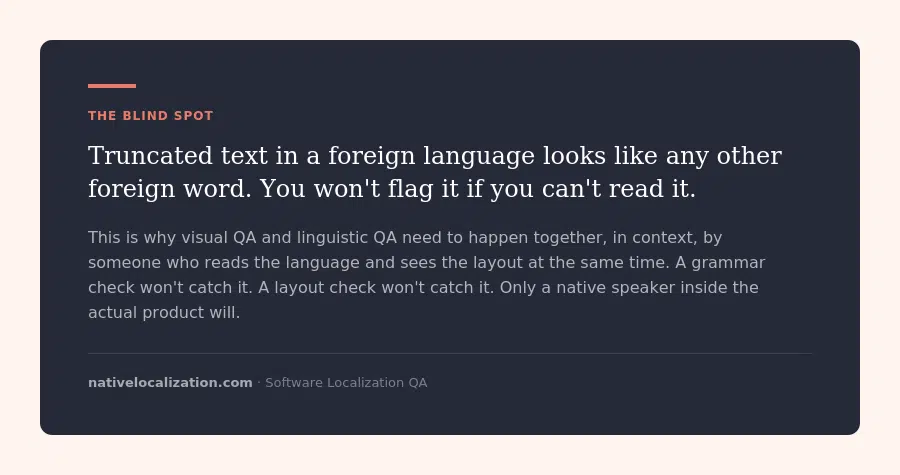
The real blind spot in localization QA isn’t the obviously broken stuff. A button that’s visually cut off, a screen that’s clearly misaligned, a field that won’t accept input. You’ll spot those even if you don’t read the language. The problems that actually reach production are subtler. A word that’s grammatically correct but carries a different meaning in context. A UI label where the last few characters are truncated, but it still looks like a plausible foreign word so nobody flags it. Grammar and spelling checks pass, visual checks look clean, and the issue slips through because everyone assumed the previous step caught it.
Most people hear “localization QA” and think translation proofreading. That’s one piece of it, but it’s not the whole picture.
Localization QA breaks into three distinct areas, and each one catches a different kind of problem.
We break down how this fits into a broader localization workflow in our software localization overview.
These three areas overlap, and the gaps between them are where problems survive. When you’re doing visual checks, you tend to trust that the linguistic review already happened. So you’re scanning layouts, not reading words. A truncated label can look perfectly normal if you don’t know the language. It looks like any other foreign word. That’s why visual QA and linguistic QA need to happen together, in context, ideally by the same reviewer who can read the text and see the layout at the same time.
Three Levels of Localization Testing
Not every launch needs the same depth of QA. The right level depends on what you’re shipping, how visible it is, and what happens if something breaks.
The trade-off is time and cost. For a SaaS product launching in 5 languages, full in-context QA might add a week and a few thousand euros to the project. Whether that’s worth it depends on what’s at stake. For a fintech app handling payments in Japan, skipping this would be reckless. For an internal knowledge base, it’s probably overkill.
Why Testing in Your Staging Environment is Key
The biggest difference between average localization QA and good localization QA is where the testing happens.
When a linguist reviews translations in a spreadsheet or a TMS, they see isolated strings. They can check grammar, spelling, and terminology. But they can’t see the product. They can’t tell if a string is a button label, a tooltip, a confirmation message, or an error that only appears when a payment fails.
When that same linguist has access to your staging environment, everything changes. They walk through the product the way a user would. They click through flows, trigger error states, complete transactions. And they find the stuff that’s invisible in a spreadsheet.
Thank you messages that still say “Thank you” in English because they’re generated by a different system. Error messages buried three clicks deep that nobody thought to include in the translation scope. Confirmation dialogs that pop up after specific actions and were never exported for translation. These hidden texts are easy to forget because they’re not always on screen. A linguist working through the product in staging will hit them naturally.
There’s another advantage that’s easy to overlook. When your linguistic QA team works directly in the testing environment, they can flag issues and apply corrections immediately. No round-trip through your internal team, no ticket, no waiting for someone to update a string and redeploy. The linguist sees the problem, fixes the translation, and moves on. That cuts days out of the QA cycle, especially when you’re working across multiple languages at once.
There’s a longer-term benefit too. Just like translation memories store previously translated segments so you don’t pay to translate the same sentence twice, we maintain QA libraries that document what broke and how it was fixed. Every truncation, every encoding issue, every context error gets logged. That library becomes a reference for future releases and for adding new languages. Patterns that were caught manually the first time get flagged automatically the next time. The result is faster QA cycles and less time spent on issues that have already been solved once. Something that every planning stage should take into account
What to Ask Your Partner About Localization QA
Before the project starts, ask these questions. The answers will tell you whether your partner has a real QA process or whether they’re just going to translate the strings and hand them back.
Common Localization QA Problems and How to Catch Them
These are the issues we see most often when working with SaaS teams launching in new markets.
Encoding Failures
Your system doesn’t support the character set for your target language. You translate into a Cyrillic-script language or into Chinese, and the product displays empty boxes or question marks instead of text. This isn’t a translation issue. It’s an infrastructure issue. The W3C has a practical primer on character encoding that’s worth sharing with your engineering team before localization starts.
How to catch it: Check encoding support before translation starts. Confirm that your database, your frontend rendering, and every system that touches translated strings supports UTF-8 or whatever encoding standard covers your target languages. Run a test with sample characters from each target language before you send anything for translation.
Context-Dependent Meaning Errors
A word passes every grammar and spelling check but means something different in the context it’s used. “Save” as a button label might be translated correctly for saving a file, but if the same translation appears next to a pricing table it could read as “discount” or “savings” in some languages. Automated checks can’t catch this. Only a human reading the string in its actual location in the product will.
How to catch it: Linguistic QA in context. The reviewer needs to see the string where it lives in the product, not in a spreadsheet. This is why staging access matters.
Truncated Text That Looks Normal
A UI label is truncated, but because you don’t read the language, the cut-off word looks like any other foreign word. It doesn’t look broken. It looks fine. And your visual QA pass misses it because the reviewer was checking layouts, not reading text.
How to catch it: Combined linguistic and visual QA by someone who reads the language and can spot where the text was supposed to continue. This is the argument for having the same reviewer do both checks simultaneously, in context.
The checkout localization guide explains why error states are the most common gap.
Hidden Untranslated Strings
Thank you messages, error dialogs, email notifications, confirmation screens, empty states. Content that only appears after specific user actions. These screens are easy to exclude from the translation scope because they’re not always visible. Users see a product that’s 95% in their language and 5% in English.
How to catch it: Functional QA that walks through all user flows, including error states, edge cases, and post-action screens. A linguist working in staging will naturally trigger these. Someone reviewing a spreadsheet of exported strings won’t, because those strings were never exported in the first place.
When to Test and How Much It Costs
Test before you ship. That’s the short answer. The Consortium for Information & Software Quality estimates that poor software quality costs the US economy $2.41 trillion annually, with fixing defects after release costing up to 30 times more than catching them during development. Localization bugs are no different.
We covered how QA fits into a release workflow in our post on localization sprints. For a full breakdown of how localization pricing works across translation, engineering, and QA, here’s our guide on what drives the cost.
Your Localization QA Checklist
- Verify that your character encoding supports every target language. Test with sample characters from each language before translation starts.
- Confirm which QA level matches your risk tolerance: spot check, standard review, or full in-context.
- Give your localization partner staging access. Not a spreadsheet of strings. The actual product.
- Define the critical user flows that must be tested in every language. Sign-up, onboarding, checkout, error states, and settings at minimum.
- Check text expansion. Open every screen in your longest target language and look for clipped or overlapping text. Remember that truncated foreign text can look normal if you don’t read the language.
- Test input fields with local characters. Can a user in Japan type their name? Can a user in France use accented characters in the search bar?
- Verify date, time, currency, and number formats in every locale. Check inputs, outputs, and exports.
- Hunt for hidden untranslated content: error messages, thank you screens, email templates, empty states, confirmation dialogs. Anything that only appears after a specific action.
- Review the QA report from your localization partner. Prioritize by severity: encoding and functional bugs first, then visual issues, then linguistic refinements.
- For ongoing releases, confirm that your localization partner maintains QA libraries alongside translation memories. Documented issues from previous rounds should inform automated checks and reduce time spent on recurring problems.

Let’s Set Up Your Localization QA Process
If you’re getting ready to launch in new markets and want to make sure the product actually works when it gets there, get in touch. We’ll walk through your release cycle, figure out the right level of QA for your project, and make sure nothing slips through.
We work with your staging environment, test in context, and report issues your engineering team can act on the same day. Here’s more about our software localization services.
Related Content

The full process from internationalization to launch, including how translation fits into your development workflow.
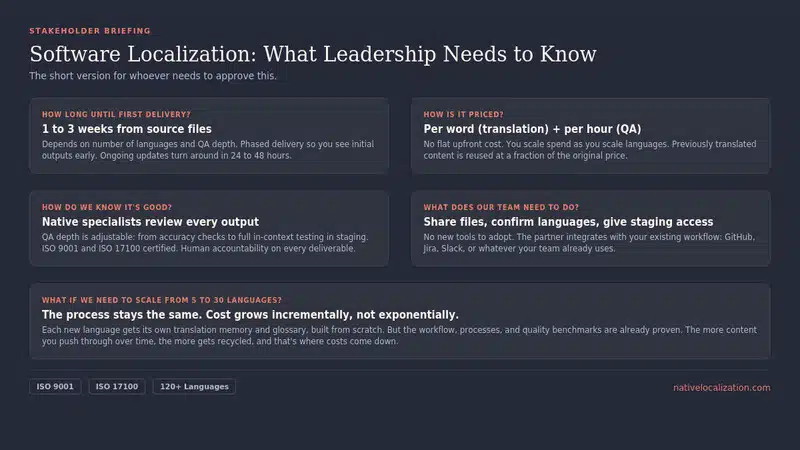
A breakdown of what drives the price, from per-word rates to engineering hours and ongoing maintenance.
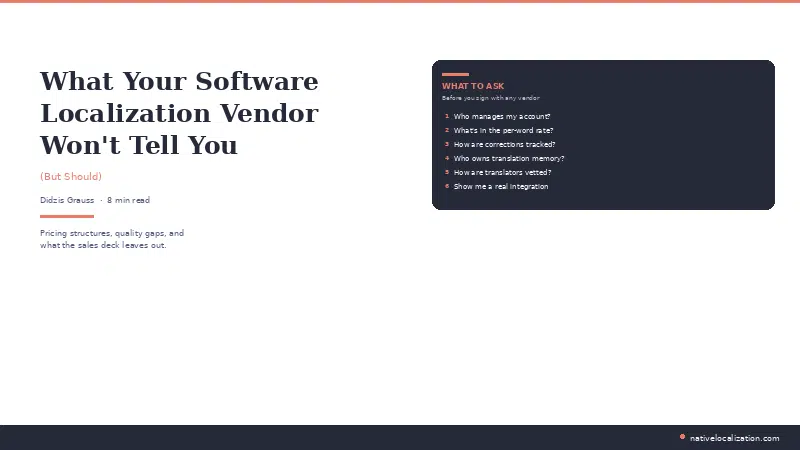
QA catches problems. This post explains why they keep happening in the first place.
FAQ
You give your localization partner access to your staging environment. A native-speaking linguist walks through the product the way a user would, checking translations in context, flagging visual issues like truncated text, and testing functional elements like date formats and input fields. You don’t need to read the language yourself. You need someone who does, testing inside the actual product.
Localization QA is the process of testing translated software to make sure the language is accurate, the UI renders properly, and the product functions correctly in each target locale. It covers three areas: linguistic QA for translation accuracy, visual QA for layout and rendering, and functional QA for locale-specific product behavior like date formats, currency symbols, and character input.
Localization QA is typically billed per hour, with rates ranging from €40 to €80 depending on the language and depth of testing. Costs go up with more languages and in-context staging reviews. They come down over time as QA libraries from previous rounds reduce the amount of manual testing needed.
For initial launches, QA happens after translation delivery and before go-live. Build at least one week into your timeline. For ongoing updates, QA should run in parallel with your regular release cycle. Catching a truncated label in staging takes five minutes. The same problem found by a customer after release costs a support ticket, escalation, and a hotfix.
A spot check reviews 10 to 20 percent of translated strings without testing in the live product. Full in-context QA means every translated string is reviewed inside the product, with functional testing of all user flows, input testing with local keyboards, and locale-specific format checks. The right level depends on what you’re shipping and what happens if something breaks.
One e-mail a week. Smarter localization.
Real localization advice from a team that does it daily. One email a week, worth your time.
You're in.
We'll send you our best stuff. No filler.